SI HALAL — Mobile App UI/UX Design
SI HALAL is the primary mobile channel of BPJPH (Badan Penyelenggara Jaminan Produk Halal) for business owners across Indonesia to submit, monitor, and manage halal certification of their products — from the Self Declare path (UMK / micro & small businesses) through verification by halal assistants (PPH) and internal BPJPH verifiers.
My responsibility was an end-to-end redesign of the product flows from a UI/UX perspective for a complex multi-role system: business owners, halal assistants, and verifiers — all inside one shared app ecosystem. The redesigned flows were validated through usability testing with 20 participants, showing a +25% improvement in usability score before handoff to the development team.
Note: All screens shown are wireframe/UI work I designed in Figma during this project. To respect confidentiality, user data, names, and document numbers have been replaced with dummy examples.
01 · Problem framing
A redesign like this isn't just about making screens prettier — the core challenge was taming complexity across three very different roles and a long, bureaucratic certification journey.
Challenges
- 3 roles, 1 app: the journey spans business owners, halal assistants (Pendamping PPH), and verifiers, each with very different information needs and actions.
- Long Self Declare process: eligibility questionnaire, business-owner data, factory/outlet data, raw materials, products, and a final declaration — easy for UMK users to get lost or drop off midway.
- Long status chain: draft → submitted → verification → LPH → fatwa (decree) → certificate issued. Status must be shown transparently so business owners stop asking repeatedly.
- Reusable business data: owner data (factories, outlets, halal supervisors, legal aspects) is reused across many forms — it needed a repeatable pattern so users aren't overloaded.
Design goals
- One consistent design language for all roles, differentiated by color, icon, and menu structure per context.
- Break the long submission into clear step-by-step flows with progress indicators and back/next options.
- Human-readable status tracking with history and explanations so users understand where their application stands.
- Reusable form components (data cards + Add/Edit/Remove) for repeated data like factories, outlets, and raw materials.
02 · Process
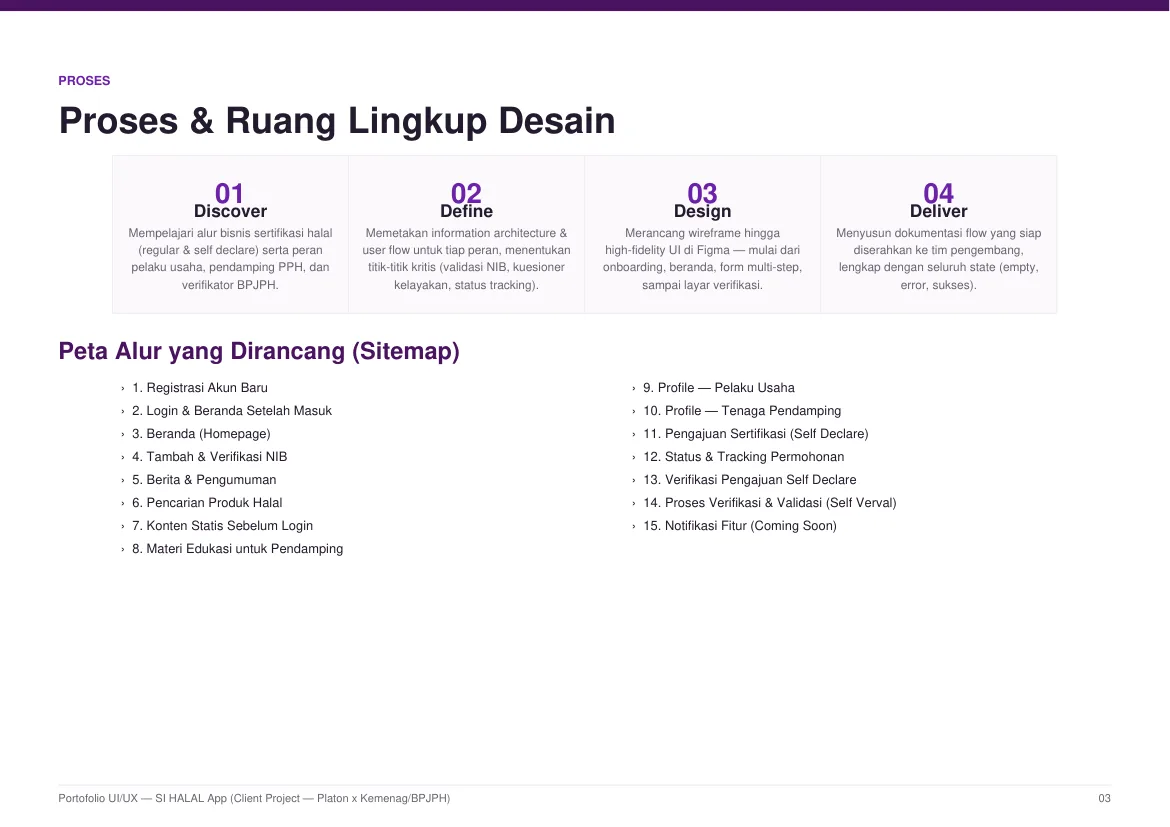
I ran a structured design process from discovery to delivery, grounded in official government channels (sehati.halal.go.id, halal.go.id, webbl.halal.go.id, kemenag.go.id, plus official Kemenag regulation & technical-guideline documents) so the app's terms, stages, and rules matched the real regulatory process.
- 01 · Discover: Studied the halal certification business flow (regular & self declare) and the roles of business owners, PPH assistants, and BPJPH verifiers.
- 02 · Define: Mapped information architecture and user flows per role, defining critical points (NIB validation, eligibility questionnaire, status tracking).
- 03 · Design: Designed wireframes through high-fidelity UI in Figma — from onboarding, home, multi-step forms, to verification screens — reviewed with Platon's PM and internal stakeholders before Kemenag validation.
- 04 · Deliver: After sign-off in validation meetings with Kemenag, documented each flow as tasks in Trello for handoff to the development team, complete with all states (empty, error, success).
Review & validation cycle: design in Figma → PM & stakeholder review at Platon → validation meeting with Kemenag. If something didn't fit, it went back to research & redesign for the affected flow; once approved, the task was marked done in Trello and work moved to the next flow.
Sitemap — 15 flows designed: Account registration · Login & post-login home · Homepage · Add & verify NIB · News & announcements · Halal product search · Static content pre-login · Educational material for assistants · Business-owner profile · Assistant profile · Self Declare submission · Status & tracking · Self Declare verification · Advanced verification (Self Verval) · Coming-soon notifications.
Industry context: this complexity wasn't just a designer's assumption — the Ombudsman RI officially noted that administrative documents, unclear processing times, and several certification requirements were still considered complicated by business owners (ombudsman.go.id, 2024), and the head of BPJPH's Data & IT Center cited repeated administrative processes as the biggest complaint about the service (GovInsider).
03 · Design system
A single, reusable visual language underpinned all 15 flows.
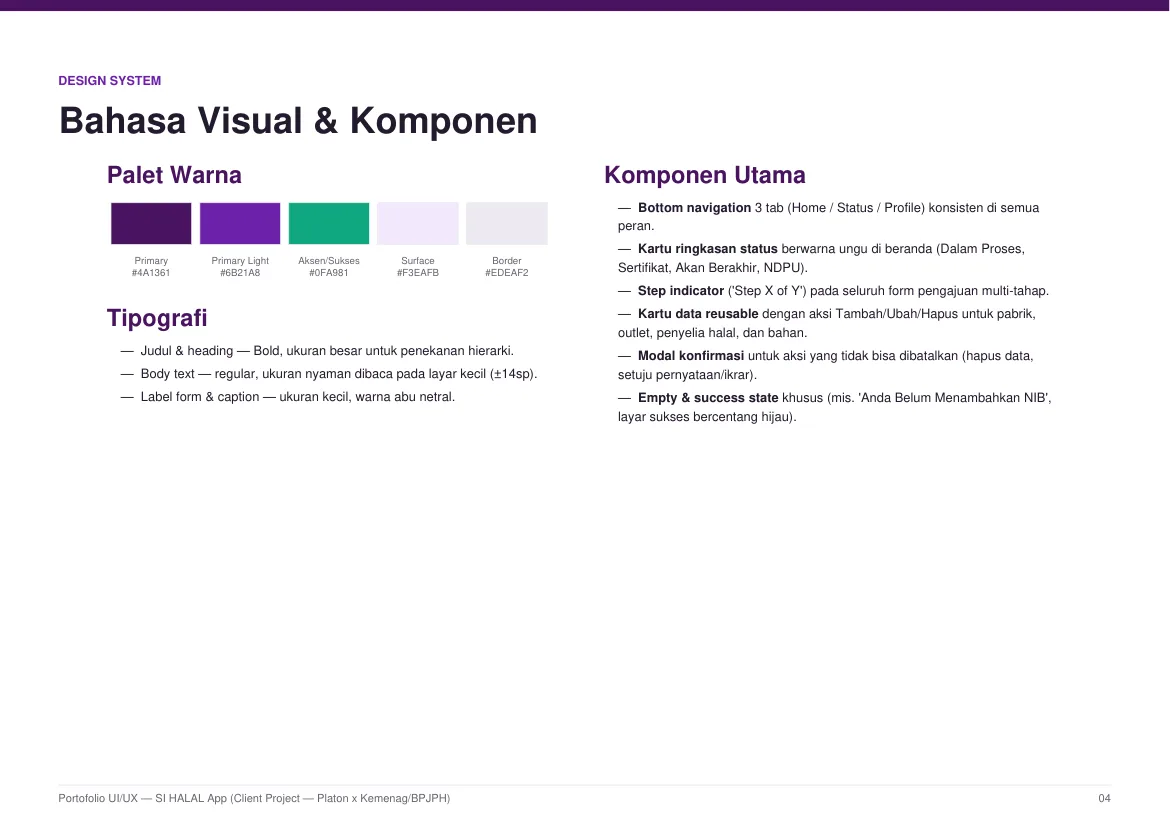
Color palette
- Primary —
#4A1361(deep purple) - Primary light —
#6B21A8(violet) - Accent / Success —
#0FA981(green) - Surface —
#F3EAFB; Border —#EDEAF2
Typography & core components
- Bold headings for hierarchy; readable body text (~14sp) for small screens; neutral gray for form labels/captions.
- Consistent 3-tab bottom navigation (Home / Status / Profile) across all roles.
- Purple status summary cards on the home screen (In Progress, Certificate, Expiring, NDPU).
- Step indicator ("Step X of Y") on every multi-step submission form.
- Reusable data cards with Add/Edit/Remove for factories, outlets, halal supervisors, and materials.
- Confirmation modals for irreversible actions (delete data, accept declaration).
- Dedicated empty & success states (e.g. "You haven't added a NIB", green-check success screen).
04 · Key screens
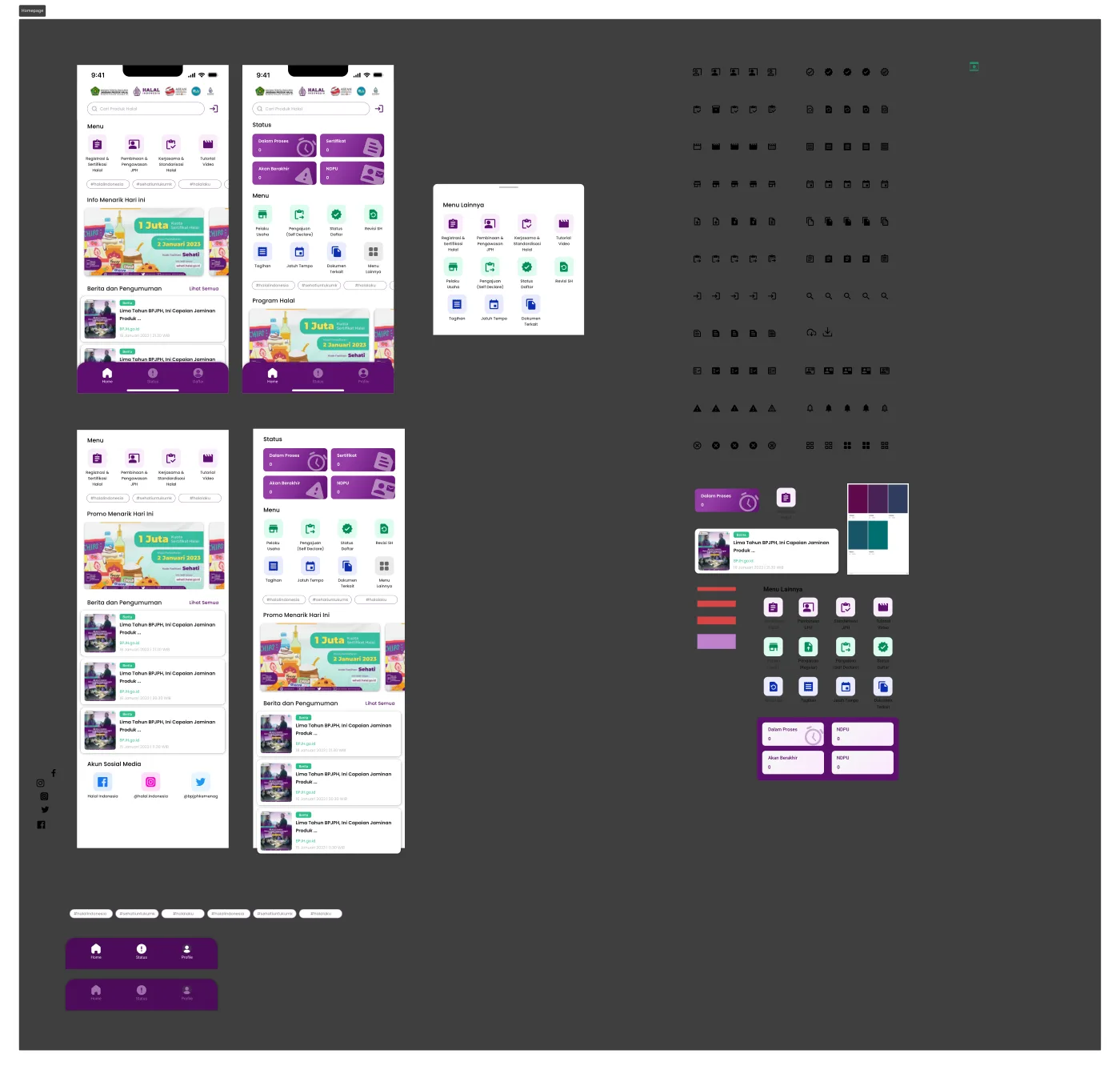
A look at the finished design system in action — key moments across the core user journeys.
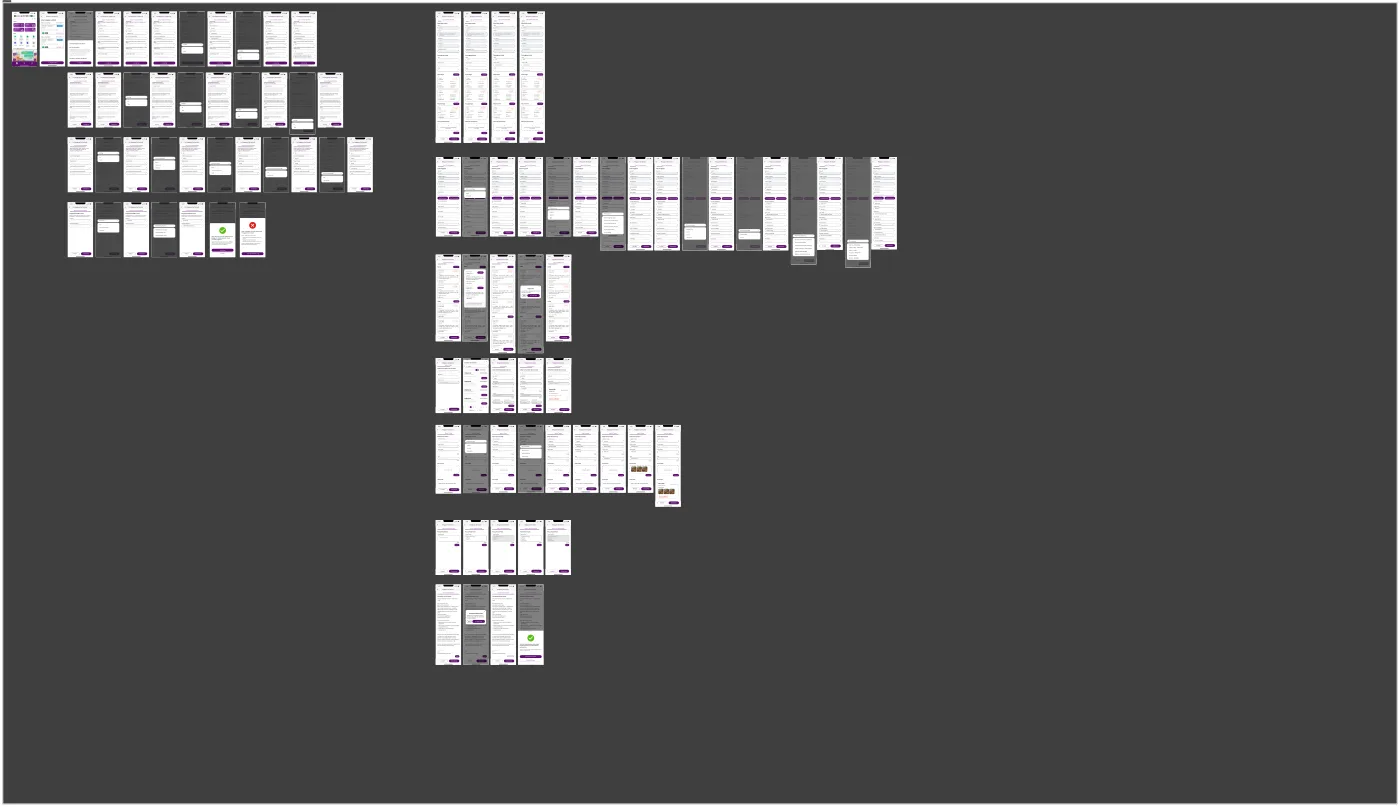
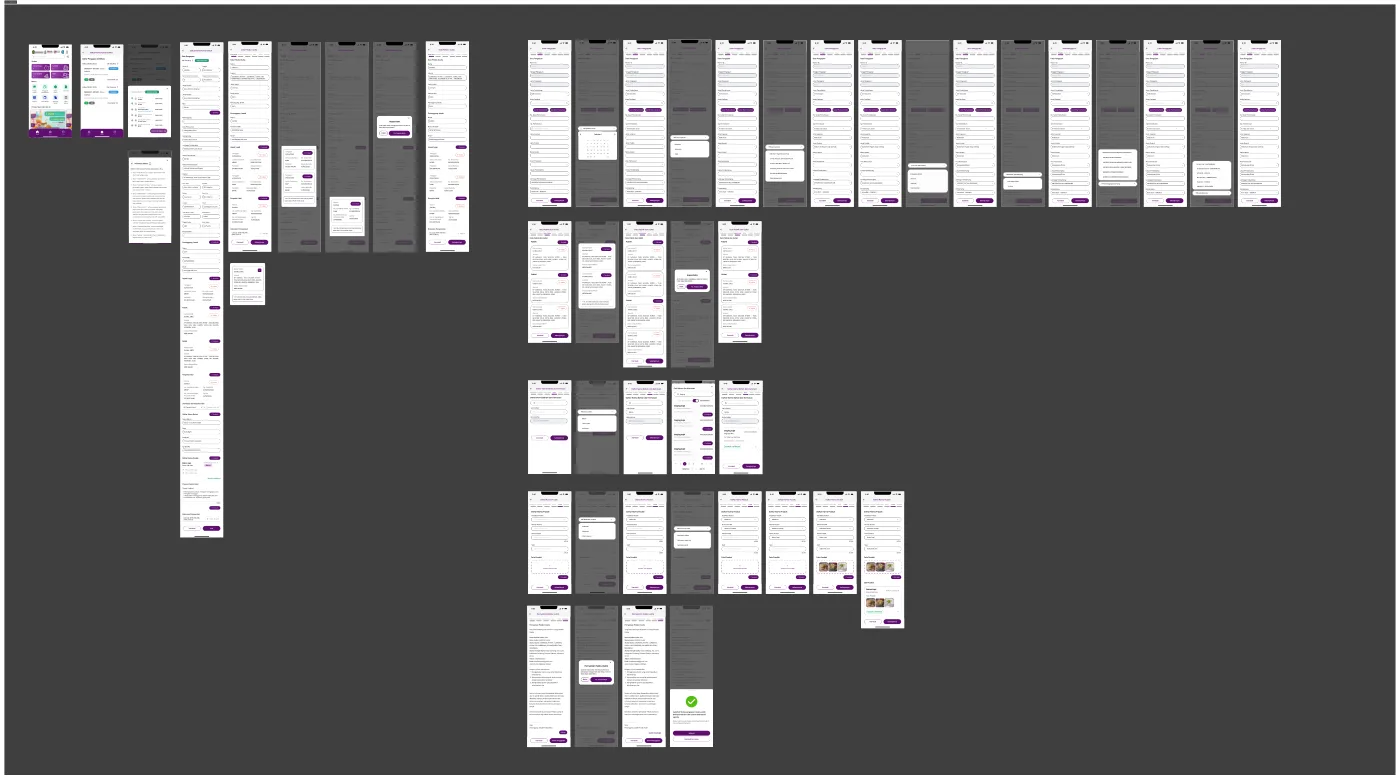
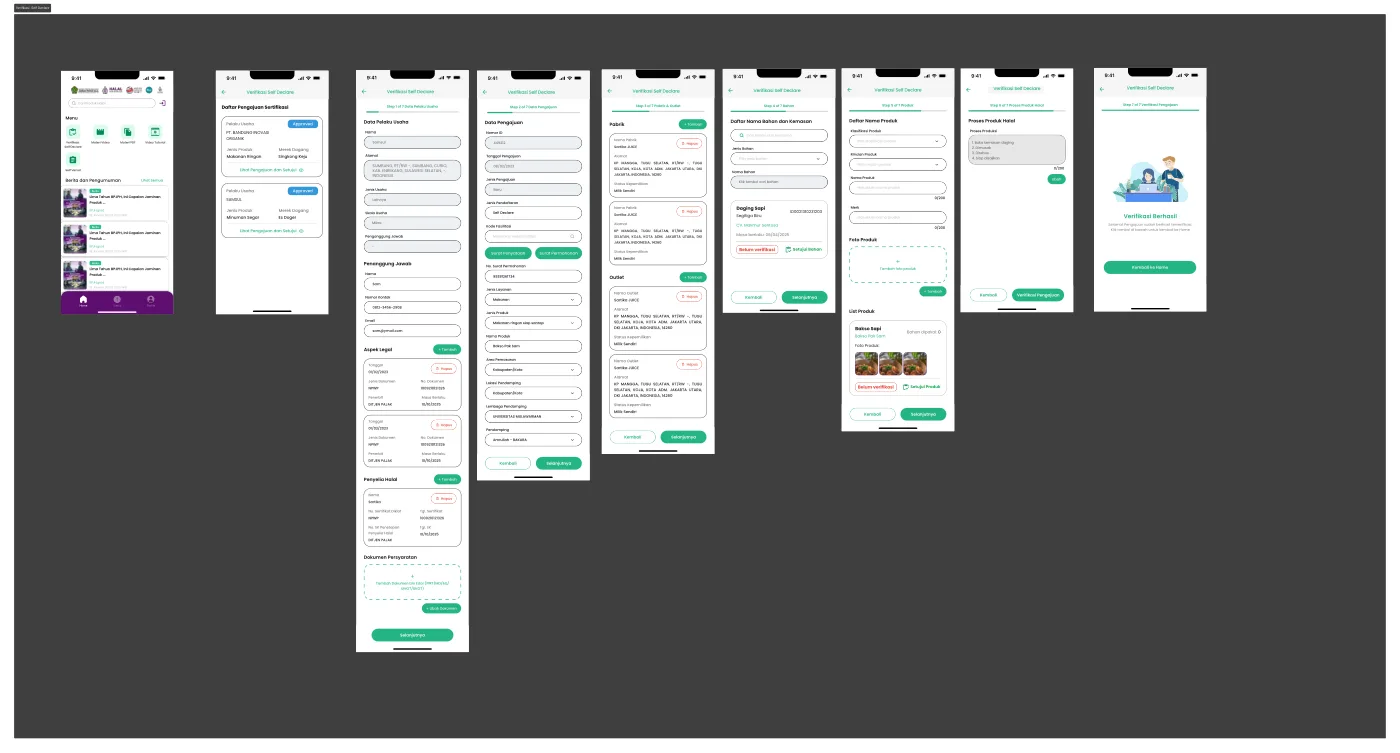
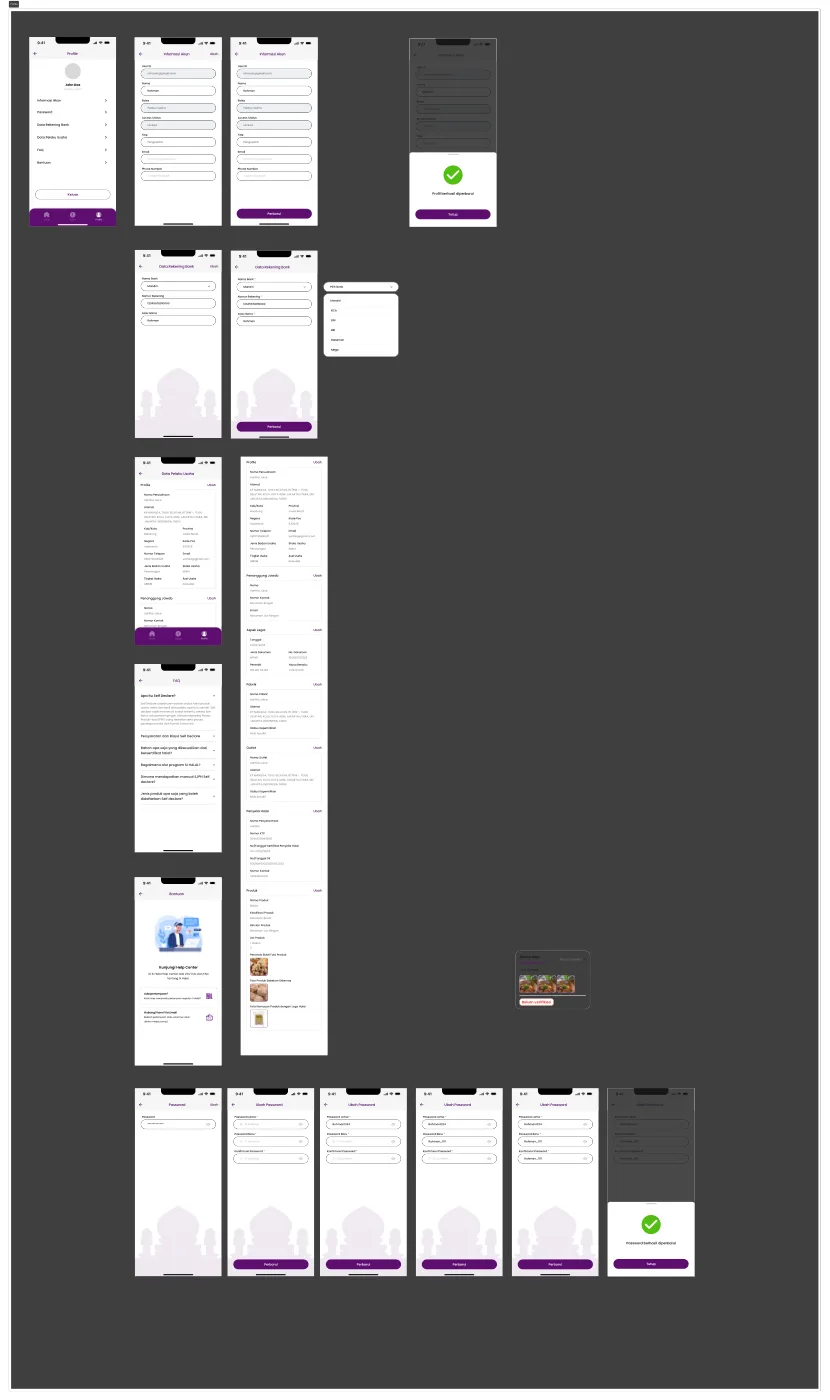
05 · The flows
Each of the 15 flows was designed to remove friction for its specific user and role. Here's what I focused on in each.
Flow 01 — Account registration
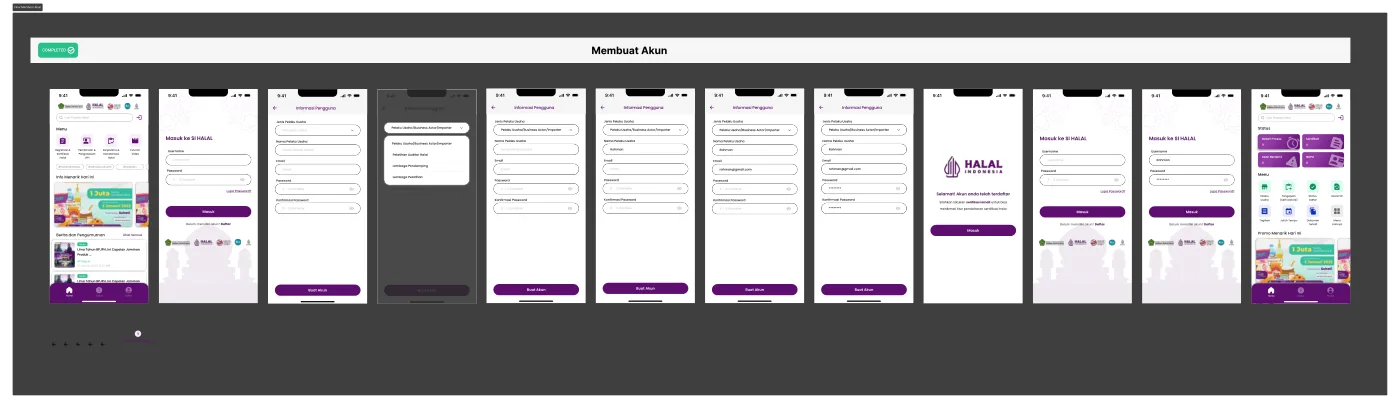
Registration for new business owners: choose business type, fill personal data, then verify email before login.
- A "Business type" dropdown early in the form lets the system adapt subsequent fields per category (Business Owner, Assistant, Training Institute, etc.).
- Inline validation on each field before the "Create account" button becomes active.
- A success screen with a single "Login" CTA reduces the friction of context-switching to sign-in.
Flow 02 — Login & post-login home
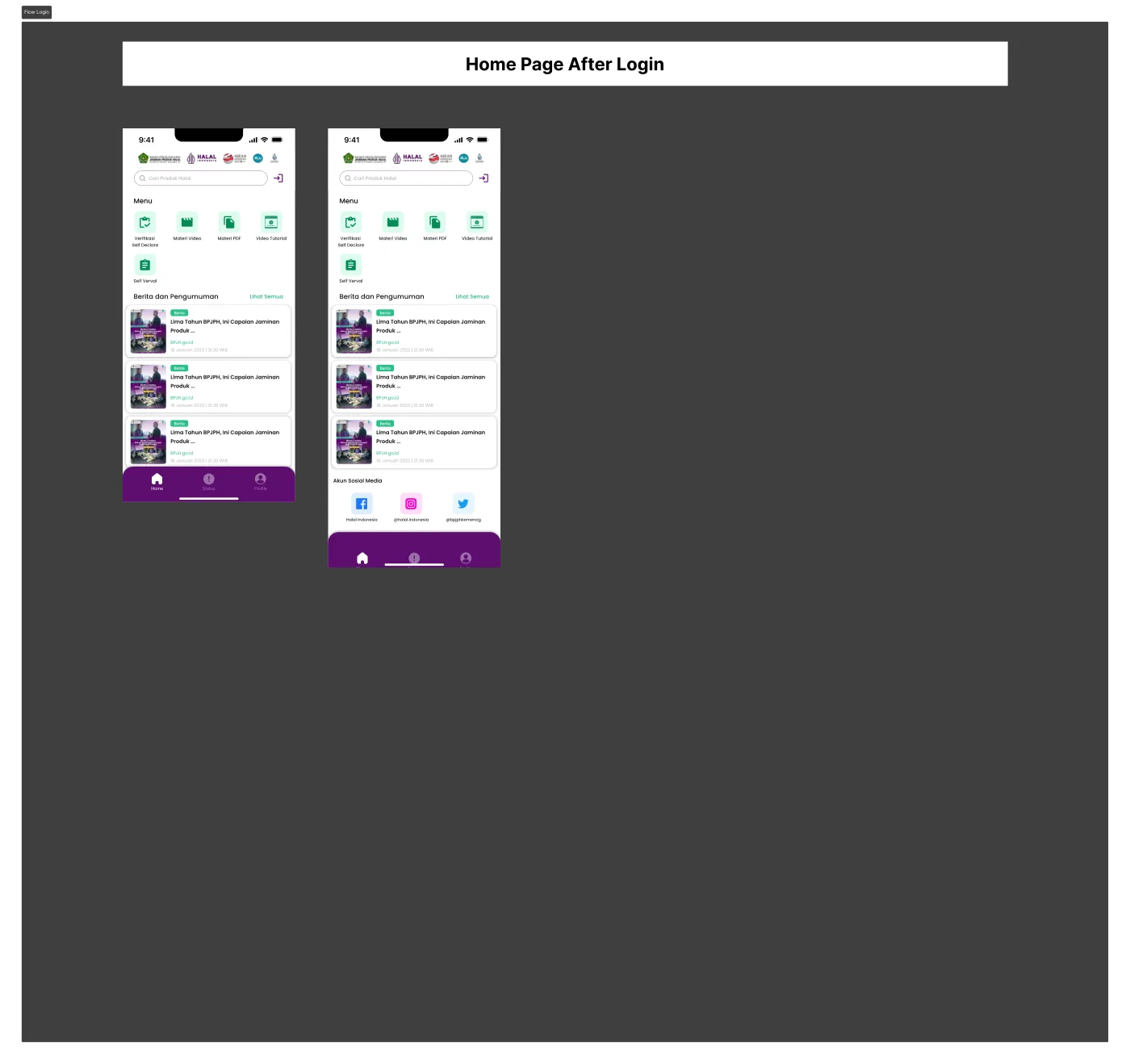
One shared login for all roles; after sign-in the home menu adapts to the user's role — shown here for the assistant role with access to materials and Self Declare verification.
- A single entry point (single login) for every role simplifies the navigation architecture.
- Modular per-role home menus keep card, status, and news positions consistent even when content changes.
Flow 03 — Homepage
Designed so the most-needed info is immediately visible: latest application status, quick access to submission, running halal programs, and official BPJPH news.
- Status cards (In Progress, Expiring, Certificate, NDPU) sit at the very top so owners instantly know their application state.
- Main menu limited to 6 icons + one "More" access (bottom sheet) keeps the home compact yet fully accessible.
- A 3-tab bottom navigation (Home/Status/Profile) keeps navigation shallow and memorable.
Flow 04 — Add & verify NIB
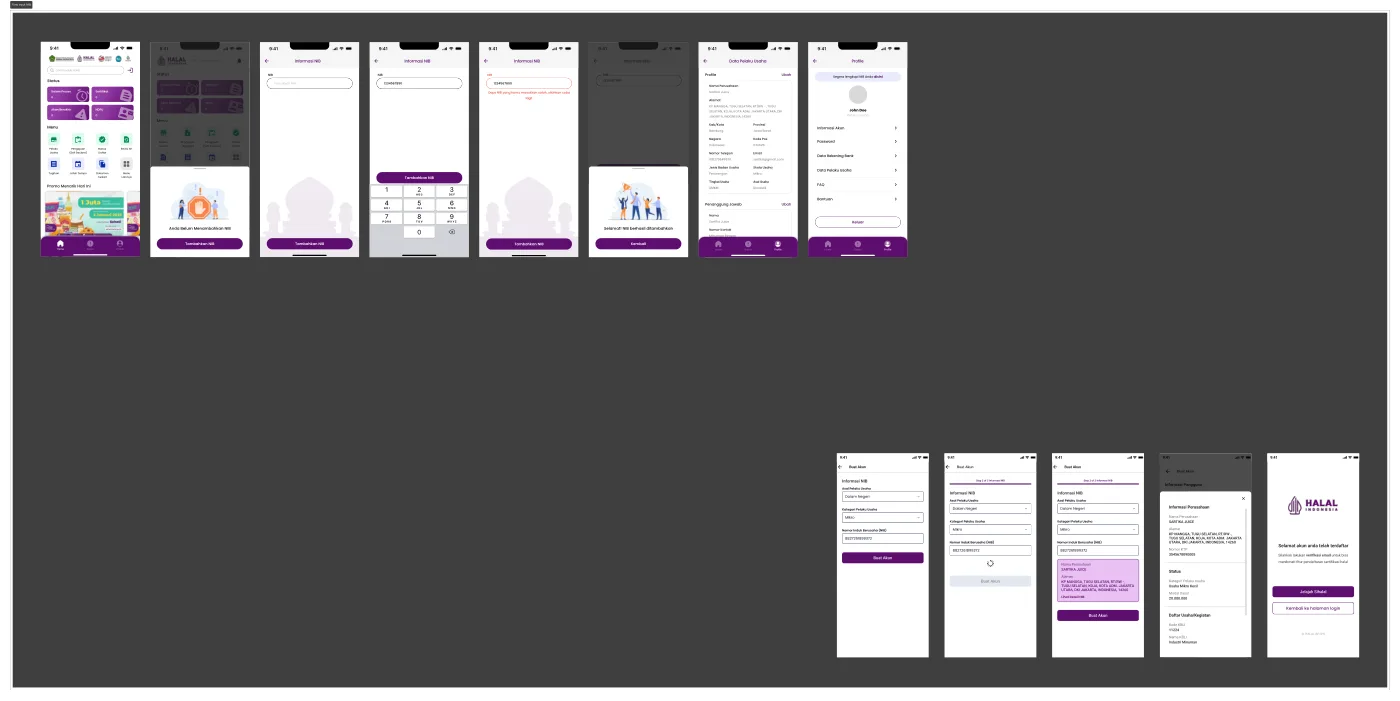
Before applying, owners must have a validated NIB (business registration number). This flow guides users from "no NIB yet", through input & validation, to auto-filled business data from OSS matching.
- An empty state — "You haven't added a NIB" — with illustration and clear CTA pushes action without confusing users about where to start.
- Specific error messages ("The NIB you entered is wrong") appear right under the field, not as generic alerts.
- Once valid, business data (name, address, business type) auto-fills as confirmation — reducing typo-prone manual input.
Flow 05 — News & announcements
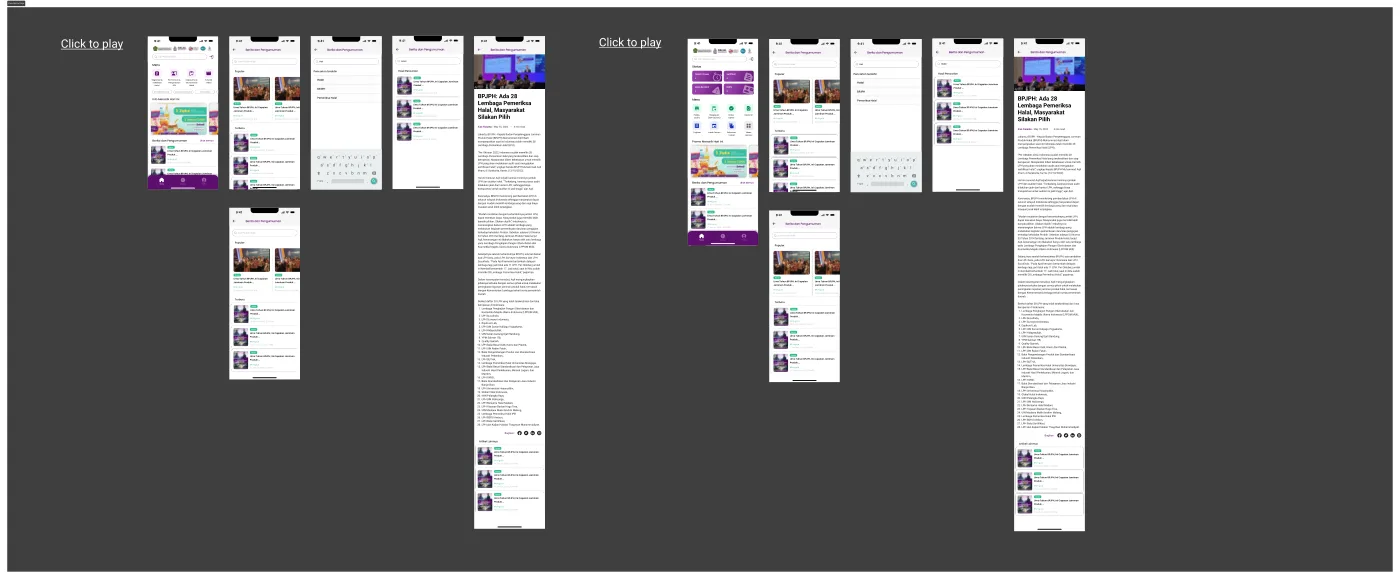
The official BPJPH information hub: news listing, search with recent-search history, results, and shareable article details.
- "Popular" & "Latest" tabs help users sort content by trend vs chronology.
- Search history displayed as chips for quick repeat searches.
- Article detail includes "More articles" recommendations to keep engagement.
Flow 06 — Halal product search
A public search feature to check the halal status of a product/business, with layered filters (product type, service type, province, business scale, owner/product name, certificate number).
- Filters are built as a layered bottom sheet (tap filter → sub-options), keeping the results screen free of rarely-used controls.
- Each result card surfaces the essentials at a glance: certificate number, owner name, expiry, and business scale.
Flow 07 — Static content pre-login
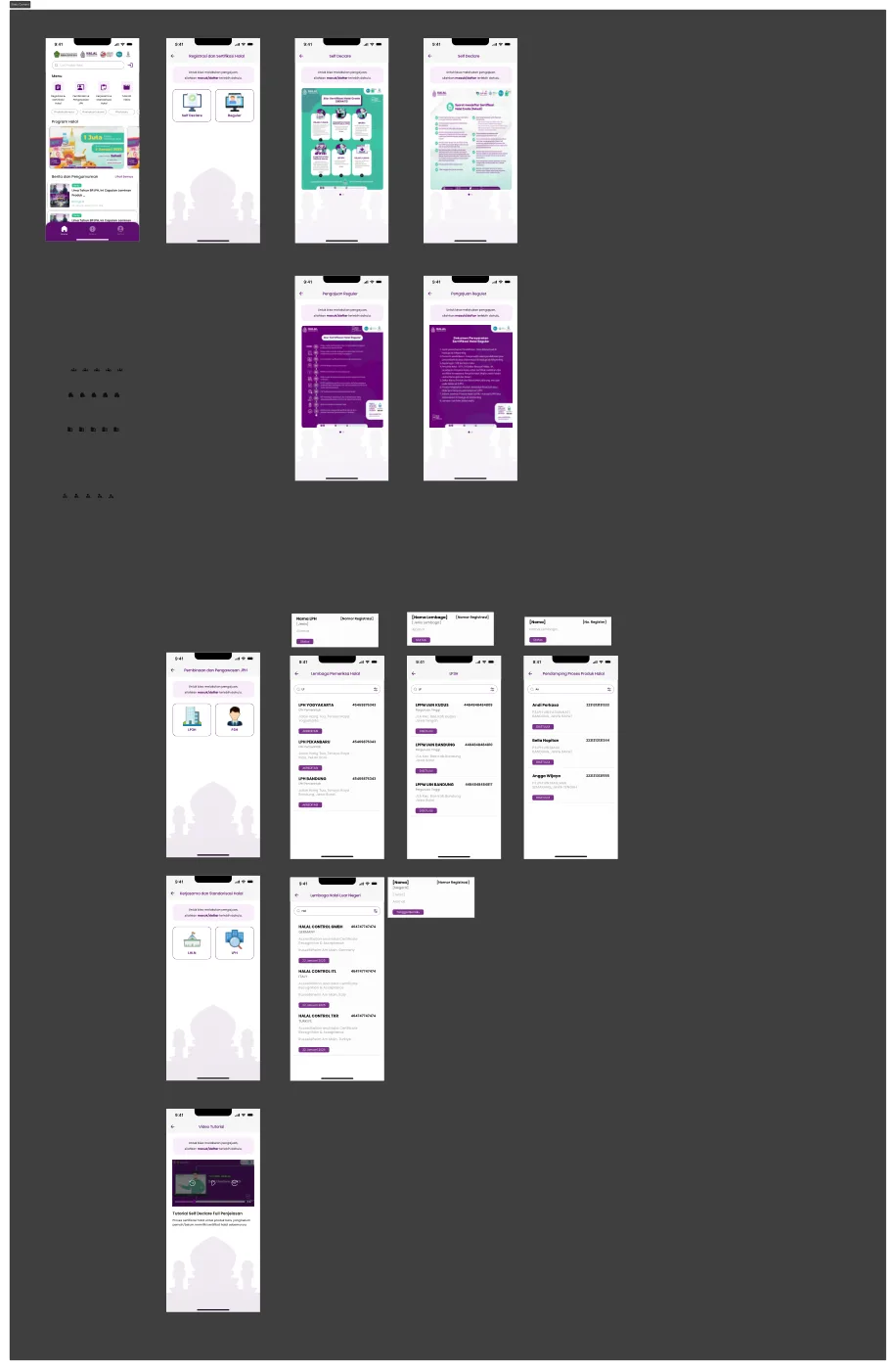
Non-logged-in visitors can still access public info (registration & certification, guidance & supervision, halal standardization) — including directories of LPH, LP3H, and PPH assistants — with application actions gated behind login.
- The "view public info first, log in only to transact" pattern lowers bounce rate vs forcing early login.
- Institution directories are laid out as scannable list cards with clear accreditation status.
Flow 08 — Educational material for assistants
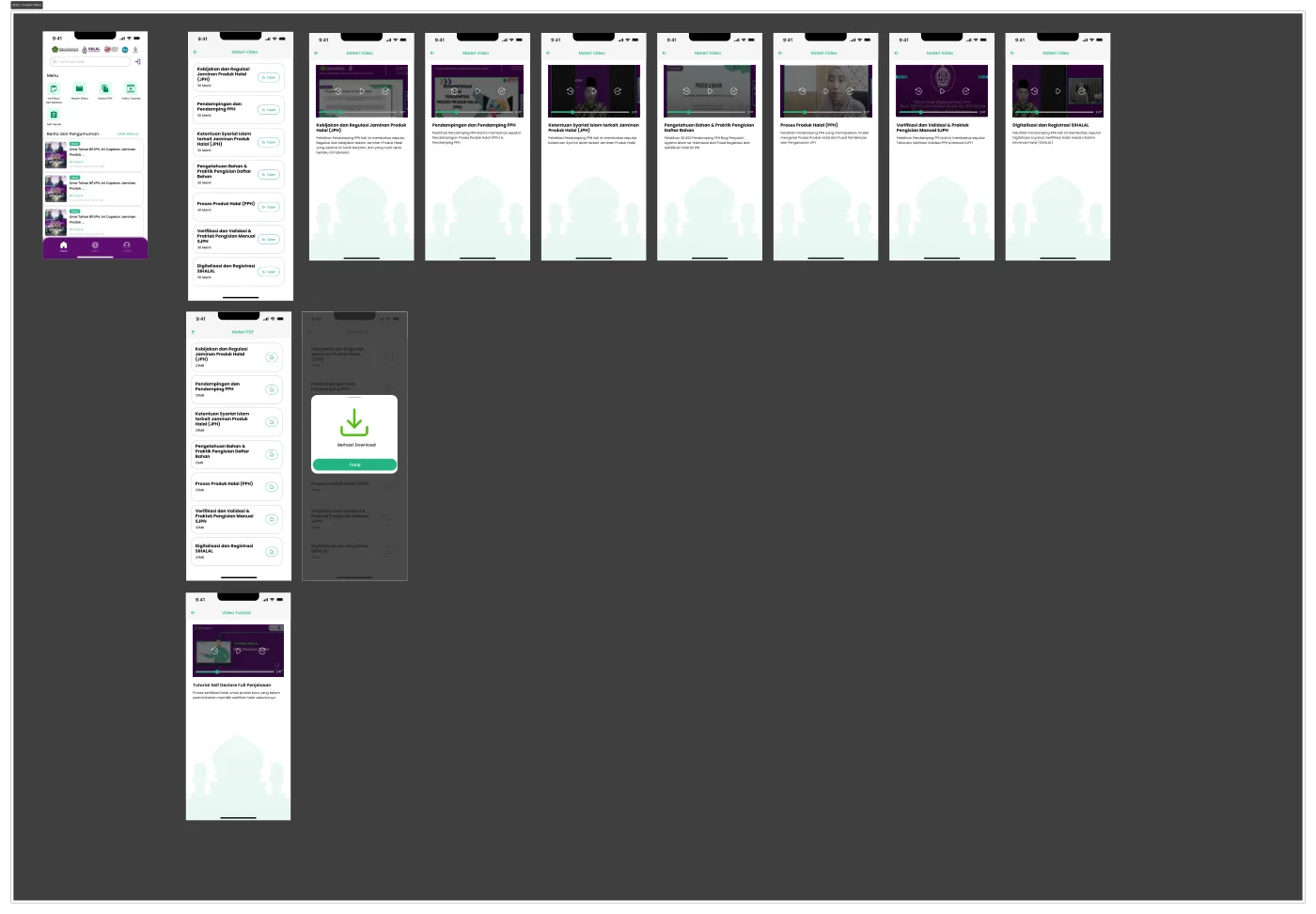
A self-paced learning space for PPH assistants: video material, downloadable PDFs, and short tutorials grouped in one "Materials & Tutorials" menu.
- Video and PDF cover the same topic in two formats so assistants choose based on learning style (watch/read).
- A "Download successful" notification reassures users on slow connections.
Flow 09 — Business-owner profile
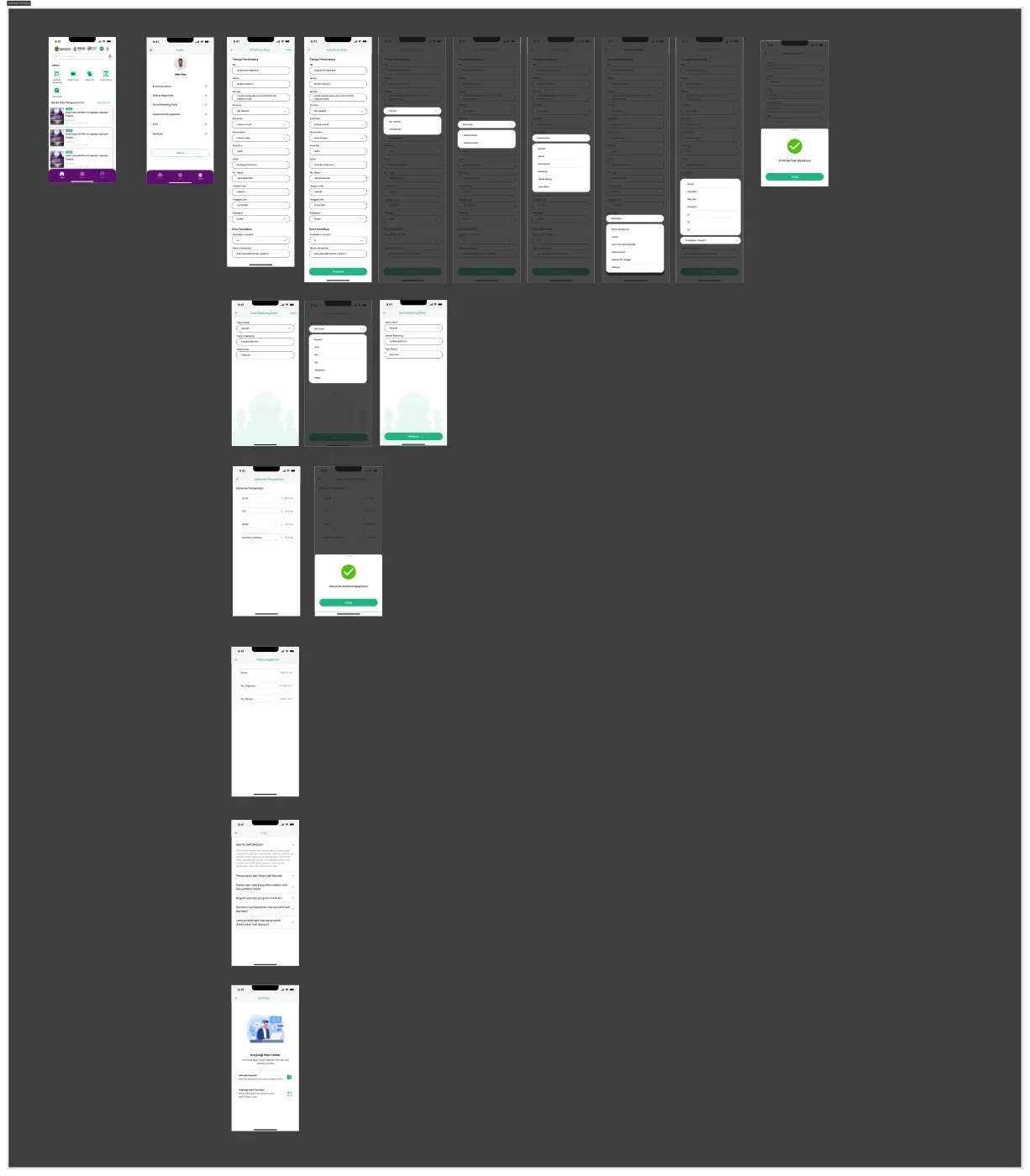
The account hub for owners: account info, password, bank account, plus full business data (business profile, PIC, legal aspects, factories, outlets, halal supervisors, products) reused across certification forms.
- Complex business data is split into sub-sections with separate "Edit" buttons, so users don't submit one giant form for a small change.
- This structure doubles as the "source of truth" auto-pulled when owners start a new certification submission.
Flow 10 — Assistant profile
A profile variant for the PPH Assistant role: personal & education data, registration status, required documents (diploma, KTP, NPWP, training certificate), plus FAQ/help access.
- Registration status is shown as a clear badge (e.g. APPROVED) with number & validity — critical because it determines whether an assistant can accompany applications.
- Document uploads use a uniform "Choose file" pattern with success feedback after upload.
Flow 11 — Self Declare submission
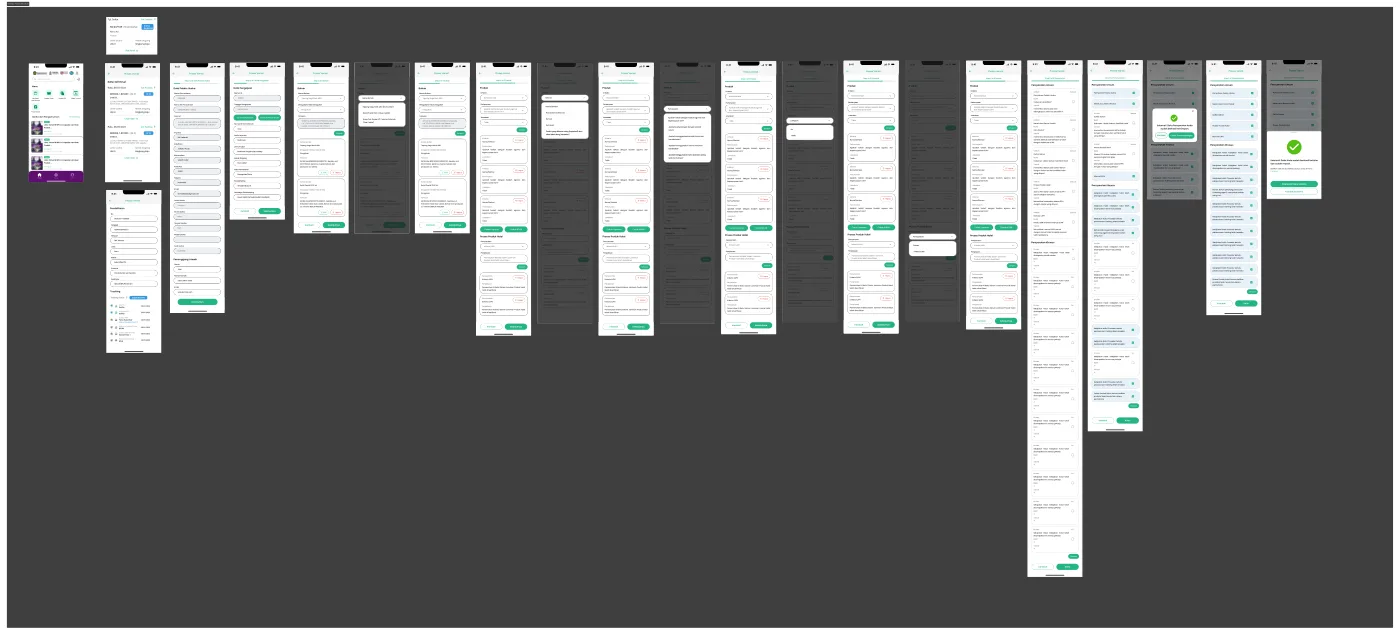
The app's core flow: Self Declare certification submission for micro & small businesses. Starts with a 4-step eligibility questionnaire, then a full 7-step application — business data, application data, factories & outlets, materials, products, halal production process, and the owner's declaration.
- The upfront eligibility questionnaire stops users who don't qualify from filling a long form with no result, explaining which requirement wasn't met.
- Consistent "Step X of 7" indicator with Back/Next buttons on every stage.
- Reusable "card + Add/Remove" components for compound data (factories, outlets, materials, products).
- Explicit confirmation modals before deleting data or accepting the declaration.
Flow 12 — Status & tracking
A page to monitor every application ever created, with full status history (Draft PU → Submitted PU → Submitted Verifikasi → Sent to LPH → Fatwa Hearing → Certificate Issued) and re-openable application details.
- An "Application Status" panel explains each status label in plain language — cutting repeated customer-service questions.
- Tracking history is shown as a vertical timeline with officer names & dates at each stage, building transparency and trust in a long bureaucratic process.
- From the detail page, users can jump straight into "Edit" mode if a verifier asked for data fixes (Returned status).
Flow 13 — Self Declare verification (verifier)
The verifier side: reviewing the queue of incoming applications, then checking owner data, application data, factories & outlets, materials, products, and the halal process before deciding "Approve"/"Return" at each stage.
- A step structure identical to the owner's fill form lets verifiers compare data as-is without learning a new layout.
- Verification action buttons (e.g. "Approve Materials", "Approve Products") sit against each relevant data section rather than one big button at the end — minimizing mass-approval mistakes.
Flow 14 — Advanced verification (Self Verval)
A deeper inspection flow for assistants/verifiers: flagging "doubtful" materials with certificate findings, answering product criteria (name/symbol, packaging), verifying SJPH completeness, and filling a general & special requirements checklist before sending the final recommendation.
- Every flagged "doubtful" material must carry a finding note (SH/KH number & validity) — forcing documented decisions, not just a checklist.
- The final general & special requirements checklist provides a clear audit trail before a certificate/recommendation is issued.
- The final result can be downloaded directly as a recommendation document, bridging digital verification with physical/formal document needs.
Flow 15 — Coming-soon notifications
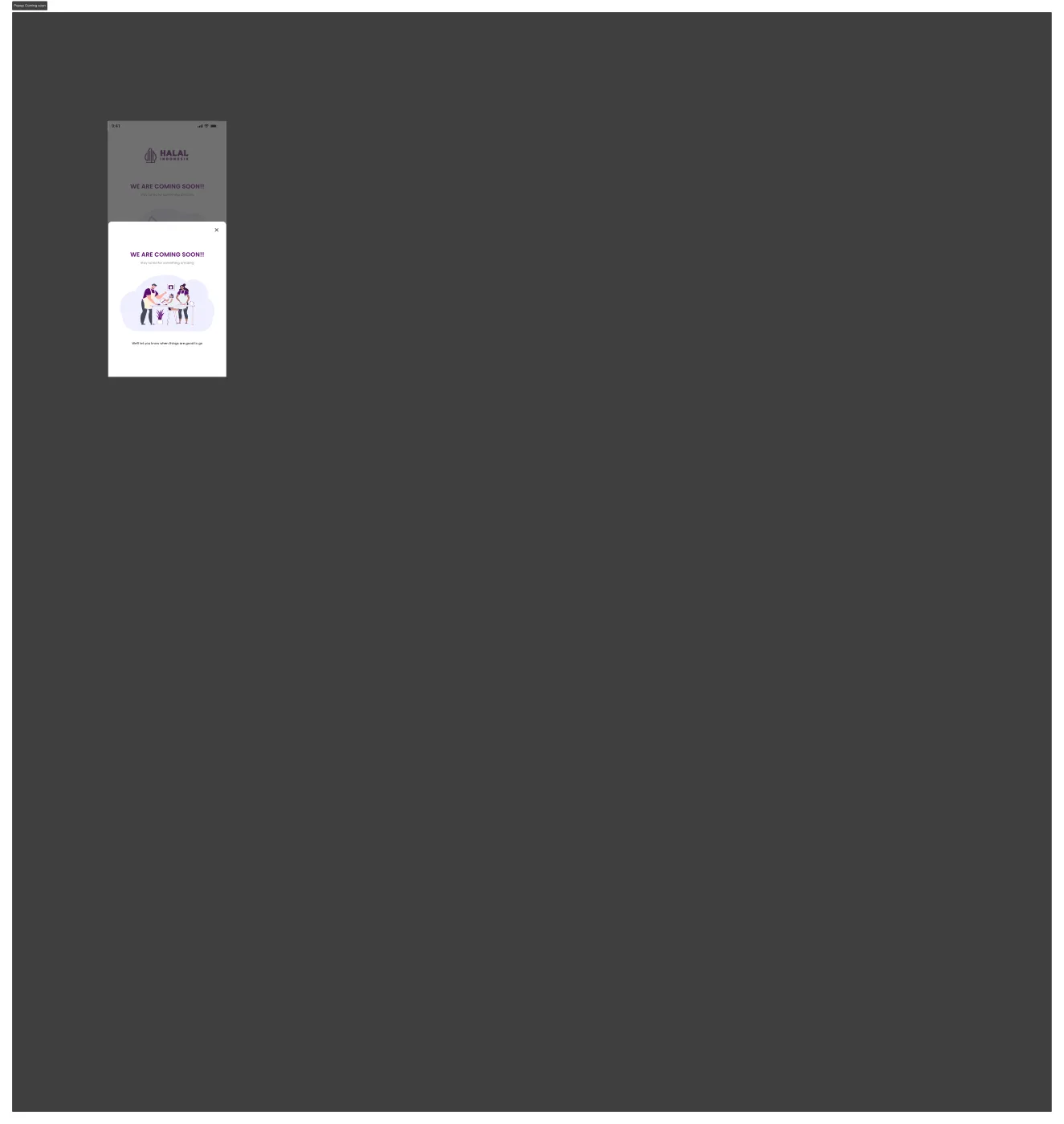
A consistent "Coming Soon" modal pattern used whenever a user opens a feature still in development, so expectations stay managed without users feeling they hit a bug.
- A friendly illustration + short copy ("We'll let you know when it's ready") keeps the tone positive even when a feature isn't accessible.
- A "GO HOME" button ensures users never get stuck on a dead-end screen.
06 · Flow gallery
Every flow, mapped to its design canvas — taken directly from the design folder, not the document.

07 · Reflection & next steps
Designing SI HALAL taught me a lot about building public-sector products that involve many roles, layered bureaucratic processes, and users with very different levels of digital literacy (UMK owners, academics/assistants, and verifier staff). The biggest challenge wasn't visual aesthetics — it was breaking down process complexity into small steps that still feel light for the end user. Validating the design through usability testing with 20 participants (business owners & PPH assistants) showed a +25% improvement in usability score before handoff — proof that the step-by-step approach and explicit status tracking genuinely helped users, not just a design assumption.
Areas I'd like to explore further:
- Expanding usability testing to a larger, more diverse sample (across digital-literacy levels and regions) to validate whether the 7-step application stays concise enough for every segment.
- Offline / low-connectivity mode, since many business owners are in areas with limited internet.
- Push notifications for every application-status change, reducing the need for users to check the app manually.
— Fegi Sucepto Priawan · UI/UX Designer